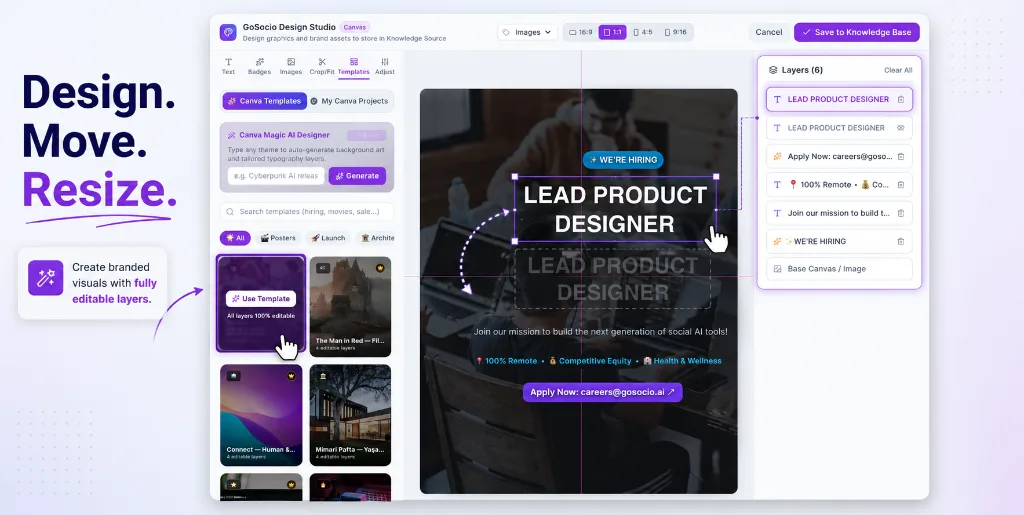

Generate the visual. Shape the story. Publish from one workflow.
Turn a prompt into an original image or short video, keep every result in your media library, and move approved assets straight into a social post or the visual editor.
Switch between image and video before generating.
Images and videos stay ready for reuse.
Campaign hero visual
Product reveal clip
10 seconds · 720p · 16:9
From first prompt to publish-ready media
Generate, review, refine and reuse creative assets without downloading files just to upload them somewhere else.
Prompt-to-Image
Describe a campaign visual in plain language and generate an original image ready for your content workflow.
Prompt-to-Video
Create short social clips with selectable duration, resolution and aspect ratio for landscape, square or vertical publishing.
Generation Library
Keep generated images and videos together, filter the gallery by media type, preview results and download approved assets.
Use in a Post
Move a finished image or video directly into Drafts so your team can add copy, review it and prepare it for publishing.
Multi-Layer Visual Editor
Arrange typography, badges and visual layers on a flexible canvas to turn generated media into an on-brand graphic.
AI Background Removal
Isolate products, speakers or objects with one click and reuse the cutout inside new branded layouts.
Finish generated images in the visual editor
Add headlines, move layers, adjust colors, import Canva designs and remove backgrounds before saving the final graphic back to your team's content library.